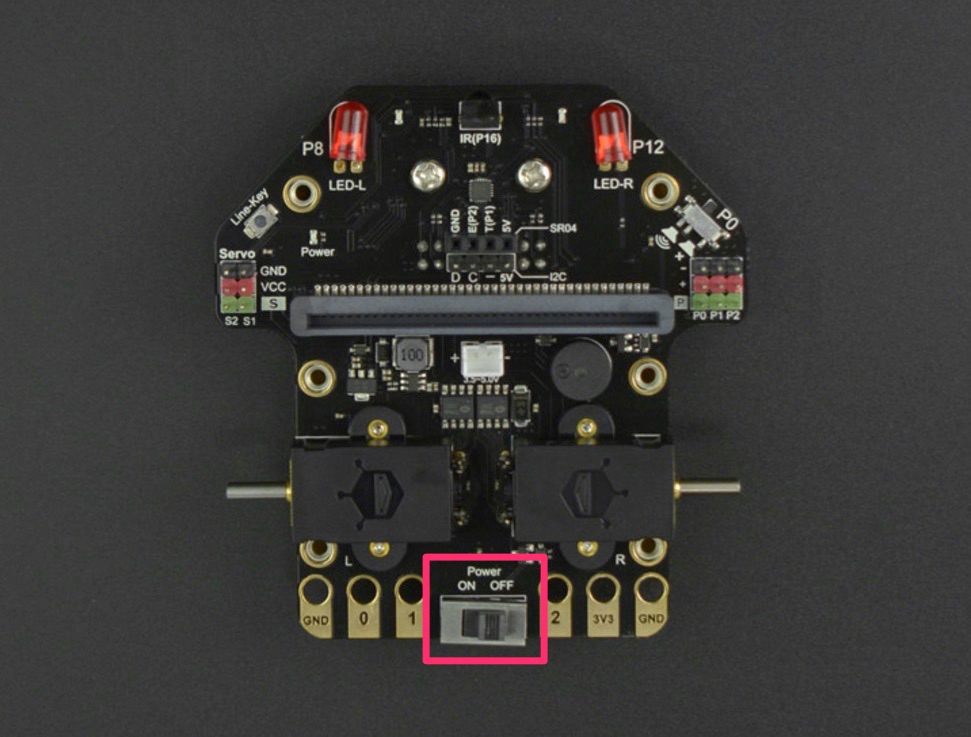
3.3. Power#
The Maqueen accepts 3.5-5V power through the JST connector, the white connector with two pins.
Key points about the power system
You can dock the micro:bit into the Maqueen with or without powering the Maqueen.
The onboard functionality of the Maqueen requires power through the JST connector.
It is safe to power the micro:bit through USB while it is docked, it won’t harm the Maqueen.
3.3.1. Batteries#
The standard Maqueen configuration is to provide power by three AAA cells, wired in series to give a voltage of 4.5V. Many rechargeable AAA cells are actually 1.2V for a total voltage of 3.6V.
Tip
Always double check the polarity (+/-) of the cells when installing them into the Maqueen.
Warning
Some Maqueens come with an 18650 holder instead. Check with your teacher for additional instructions if this applies to you!
3.3.2. Power Switch#
You can turn the Maqueen on or off using the power switch at the rear. This isolates the battery from the circuit board.
You can connect and program a docked micro:bit while the power switch is off.