

4.7. Server-Side Sessions#
When users interact with a website, the server needs a way to remember their identity across multiple requests. Since HTTP is stateless, web servers use sessions to track users.
A server-side session is a record stored on the server that contains at minimum:
user identifier
unique session identifier
Sessions allow users to interact with a website without having to provide their username and password with every request.
Server-side sessions are implemented by:
recording the session on the server
the browser retaining a session token as a cookie
4.7.1. Establishing a Server-Side Session#
The procedure to establish a server-side session is:
The client (browser) sends a login request with username and password
The server creates a new session record in its database
The server sends a response back with a cookie containing the session identifier
For example the cookie header in the response might look like:
Set-Cookie: session_id=23409qwenoasd; Path=/; HttpOnly; Secure; Max-Age=86400
where the session_id is a random and unique identifier.
4.7.2. Maintaining a Server-Side Session#
On every subsequent request, the client sends the session identifier cookie to the server.
For example the header for subsequent responses might look like:
GET /dashboard HTTP/1.1
Host: example.com
Cookie: session_id=abc123
When the server receives a request containing a session identifier it:
Queries the database for a session with a matching session identifier
Checks that the session has not expired
Returns a response for the logged in user
Demo: Server-Side Session and Login
Note
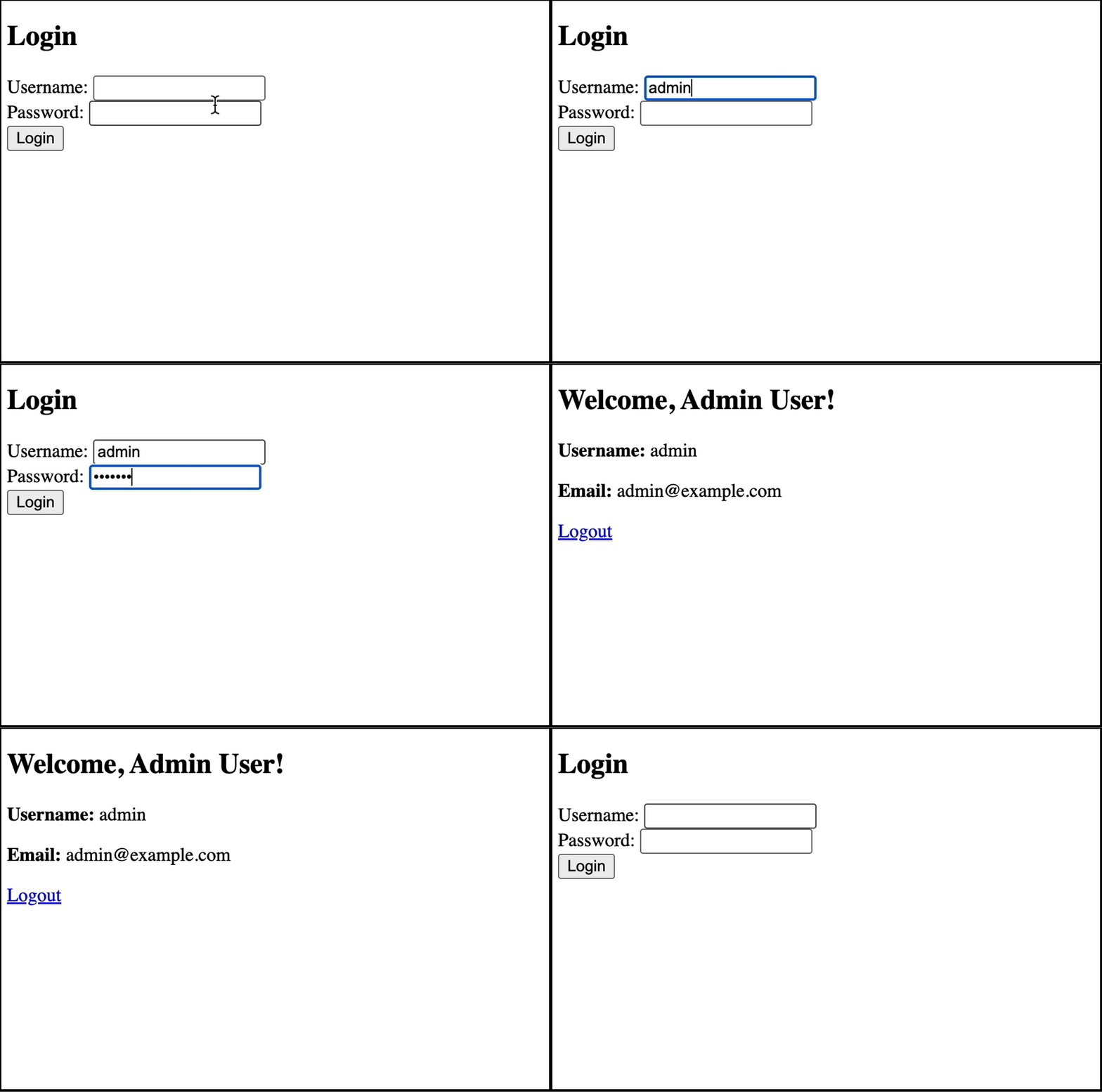
This tutorial demonstrates a simple way to implement server-side sessions with Flask. Run it like a normal Flask app.
The page should only allow users to log in with the following credentials:
username: admin password: password123
Note
Once the cookie expires users are automatically logged out. You can see this by waiting for the session time to expire and then refreshing the page. Users should also be able to log out by clicking Logout. You can reduce the expiry time of the session from 1 hour to test it. For example to set it to 10 seconds use timedelta(seconds=10).
Models
In addition to the User model we’ve been using so far, we’re adding a model to hold the Session details in the database.
The session model fields are:
id- the unique identifier of the session, which the browser will use as a cookie value lateruser_id- a foreign key to the associated useractive- whether the session is active, used to log out the userexpires_at- the final expiration date of the session
Warning
In the real world the id used for the session should be a random string that is hard to guess.
Login
The login process follows the steps:
Get the credentials from the
POST-ed form dataSearch the database for a matching user
Create a new session in the database
Return a response that sets a cookie in the user’s browser to store the session id
Dashboard
When /dashboard is requested:
The value of the
session_idcookie is collectedThe database is searched for a corresponding and active session exists in the database
The expiration date of the session is checked
The user details are retrieved from the database and the dashboard template is rendered into a response
Logout
When the user logs out they request /logout which then:
Sets the session to inactive
Sets the remaining time of the
session_idcookie to 0, thereby causing the browser to destroy its copy as the time immediately passes.
Download and run the tutorial.