

3.5. RGB LEDs#
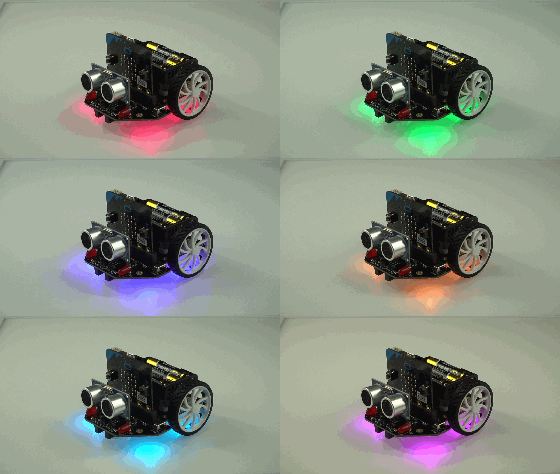
The four Red Green Blue (RGB) LEDs are located underneath the Maqueen labelled RGB0 , RGB1, RGB2 and RGB3 on the circuit board.
These LEDs are WS2812 compatible.
3.5.1. WS2812#
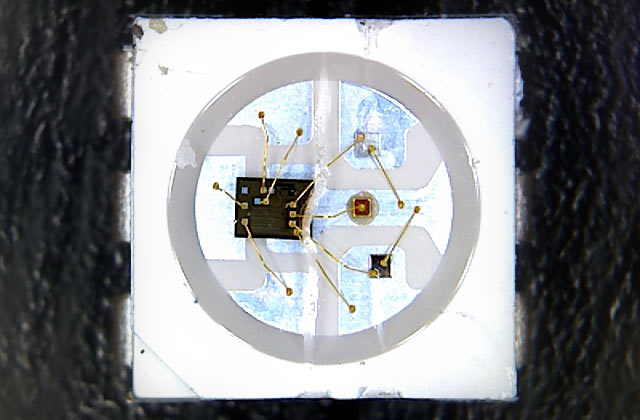
WS2812 LEDs are individually addressable LEDs wired in series. They are commonly found in strip lighting products but have now found use as general purpose RGB LEDs because of their simple wiring and programming.
Each LED itself contains a small microcontroller that reads the signal along the wire. It switches itself on or off and changes colour based on the signal.
The LEDs are wired in series. When the microcontroller sends colour data down the signal line the first LED reads the first colour information then goes into “passthrough” mode, forwarding the next colour information down the series. This repeats until the end of the series. After a timeout period the first LED will accept new colour information and the process starts over.
3.5.2. Initialisation#
To control the LEDs we can use the neopixel micropython library
import neopixel
then we can initialise the LEDs by creating a new instance of NeoPixel assigned to pin 15 of the micro:bit with 4 LEDs
pixels = neopixel.NeoPixel(pin15, 4)
3.5.3. Setting Colours#
Each pixel in the series can be addressed by using list indexing syntax. You assign a tuple of red, green and blue values to this index i.e.
pixels[x] = (red, green, blue)
where red, green, blue are values between 0 and 255.
Warning
The RGB LEDs require a lot of power. Setting them to maximum intensity might cause power problems on your Maqueen. For example you may find that the motors randomly turn on. To avoid this, use a lower maximum intensity like 125 rather than 255.
Examples#
Set RGB0 to white:
pixels[0] = (255, 255, 255)
Set RGB2 to green:
pixels[2] = (0, 255, 0)
If you need help setting RGB values use an online colour picker e.g. https://www.google.com/search?q=rgb+color+picker
3.5.4. Showing Colours#
After setting colours you need to send the new colour data to the series by using
pixels.show()