

4.6. Cookies in Flask#
Flask provides built-in methods to set, read, and delete cookies using the
request and response objects.
4.6.4. Deleting a Cookie in Flask#
from flask import Flask, request, make_response


@app.route("/delete_cookie")
def delete_cookie():
    response = make_response("Cookie deleted!")
    response.set_cookie("user_id", "", max_age=0)  # Set expiration to 0 to delete
    return response


@app.route("/")
def index():
    response = make_response(render_template("index.html"))
    response.set_cookie(
        "user_id", "12345", httponly=True, secure=True, samesite="Strict"
    )
    return response


app.run(debug=True, reloader_type="stat", port=5000)
Explanation
To remove a cookie, set its Max-Age to 0 past using
set_cookie(max_age=0). This instructs the browser to immediately expire the
cookie.
Code Challenge: Cookie Jar 🍪
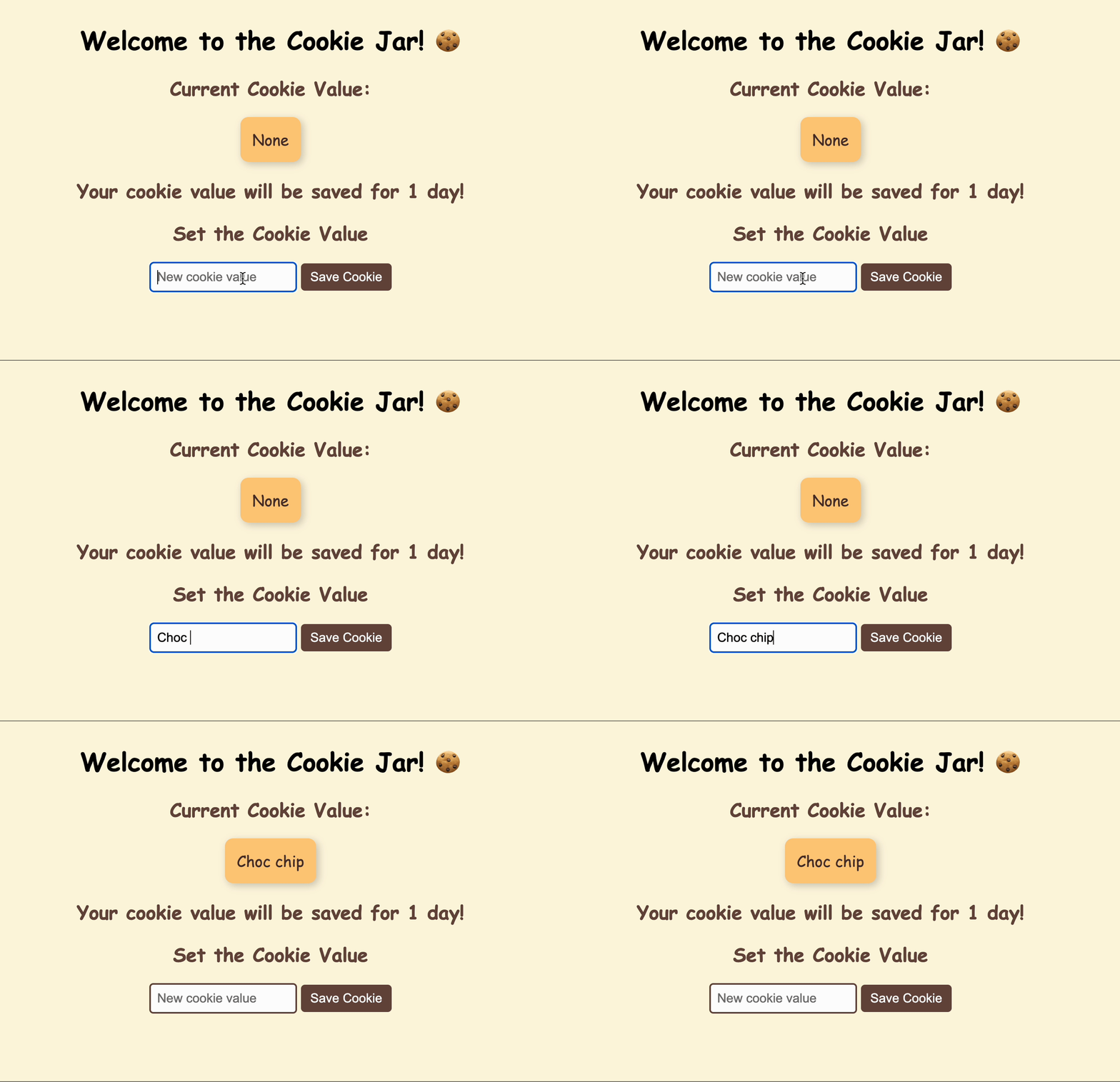
Create a flask app with a single page that shows the current value for a cookie and allows the user to set the value.
Note
When you close the app and re-open the app your cookie value should still be there!
You have been provided with a scaffold that contains a starting flask app and template.
Do not modify the index.html template.
Note
Once you’ve completed the requirements you can test your site by opening the page, setting a cookie value and closing the page. If you re-open the page your cookie data should still show on the page. You can also view the cookie data in your browser’s developer tools.
Instructions
You should only edit the index_post() function
1. Get the new cookie value from the form data
new_value = request.form.get("cookie_value", None)
2. If new_value is not None:
2.1. Make a response object from the rendered template
response = make_response(render_template("index.html", cookie_value=new_value))
2.2. Set the cookie value in the response with a 1 day expiration
response.set_cookie("cookie_data", new_value, max_age=86400)
2.3 Return the response object
return response
3. Otherwise redirect to “/”`
Download the scaffold and write your code in app.py.
Solution
Solution is locked