

Creating Objects#
Classes#
A class is the type of an object. The class definition specifies the attributes (properties) and methods (behaviours). Think of a class as a blueprint, from which we will make real objects.
We create a class using the following:
class ClassName:
where
classkeyword that signifies that a class definition will followClassNameis the name of the class, which we can choose. When defining classes in python we use CamelCase
The Constructor#
Often you will need to initialise each instance so that it is ready for use. Typically this is just setting the attributes of an instance with some pre-set values or provided as parameters.
This can be accomplished with a constructor method which is called when we create an instance of that class.
The constructor function is denoted in Python with the name __init__
class ClassName:

    def __init__(self, parameter_1, ..., parameter_n):
        # Set values here
The constructor is automatically called called when we create an instance of the class. The constructor is where we prepare the instance so that it is ready to be used.
Note
In most examples you will only see attributes being set but it can be used for much more than that.
Example: Account
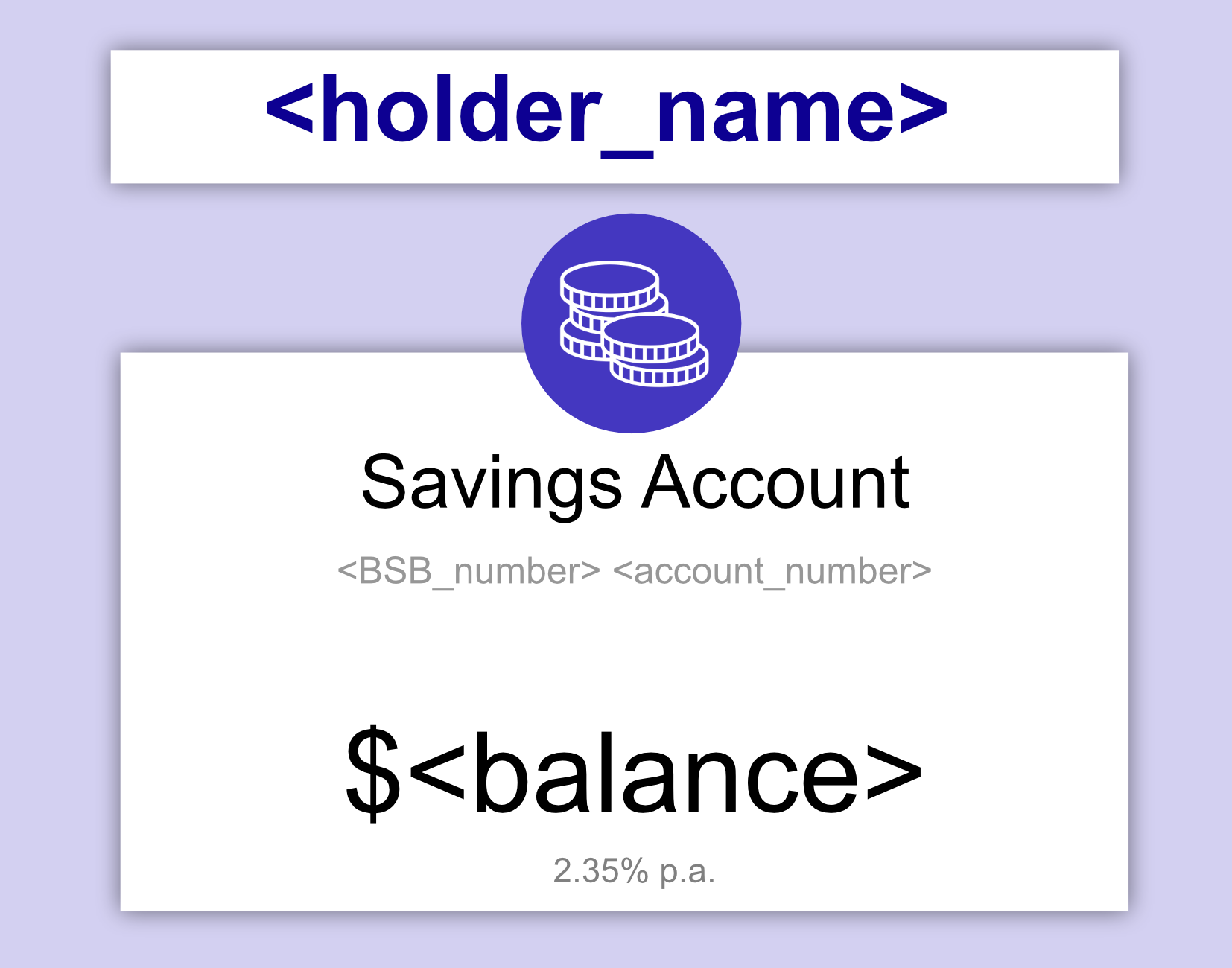
class Account:

    def __init__(self, bsb_number, account_number, balance, holder_name):
        self.bsb_number = bsb_number
        self.account_number = account_number
        self.balance = balance
        self.holder_name = holder_name
At the moment we’ve just created a blueprint for the class which will hold four attributes:
bsb_numberaccount_numberbalanceholder_name
Self#
The self parameter of __init__ is a variable that references the
current instance that is being created. Recall that a class definition is a
blueprint, so self is a way of specifying which instance is being affected
by the blueprint.
Note
Having a dedicated reference to the current instance also creates clear separation between the attributes of each instance and other variables in our program.
The following can be used to define an attribute for a particular instance.
self.attribute = value
Instances#
To create an instance of a class you call the ClassName followed by the parameters the class takes. Usually you would store this in a variable.
variable = ClassName(parameter_1, ..., parameter_n)
class Account:

    def __init__(self, bsb_number, account_number, balance, holder_name):
        self.bsb_number = bsb_number
        self.account_number = account_number
        self.balance = balance
        self.holder_name = holder_name


batman_account = Account("689716", "62228626", 19.39, "Bruce Wayne")
superman_account = Account("789546", "86312655", 8.38, "Clark Kent")

print(batman_account)
print(superman_account)
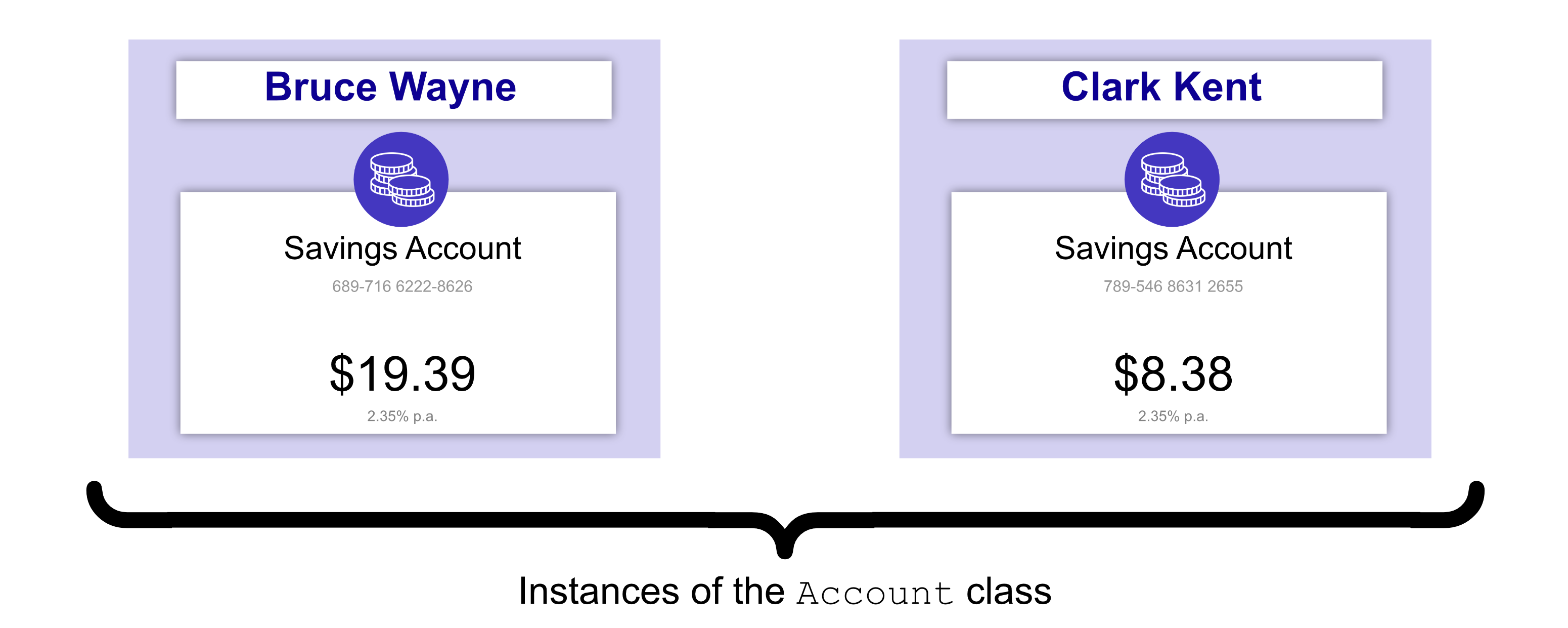
In the example, we have created two instances of the class Account. One for
Bruce Wayne and one for Clark Kent. When we print batman_account and
superman_account, we can see the each is an Account object.
Question 1
Which of the following creates a class called Rectangle, which sets the height, width and colour attributes in the constructor?
def Rectangle:

    class __init__:
        self.height = height
        self.width = width
        self.colour = colour
def Rectangle(height, width, colour):

    class __init__:
        height = height
        width = width
        colour = colour
class Rectangle:

    def __init__(self, height, width, colour):
        self.height = height
        self.width = width
        self.colour = colour
class Rectangle:

    def __init__(height, width, colour):
        hieght = height
        width = width
        colour = colour
Solution
Solution is locked
Question 2
How would you create an instance of a Rectangle (using the class defined in the previous question), which has a height of 4, width of 2 and is red?

def Rectangle("red", 4, 2)
red_rect = Rectangle(4, 2, "red")
__init__ = Rectangle("red", (4, 2))
Class Rectangle("red", 4, 2)
Solution
Solution is locked
Code Challenge: Build a Ship

In this exercise create an instance of the provided Spaceship class.
At the moment this class only stores a name.
Instructions
Using the Spaceship class provided:
Create a new spaceship with the name
"Enterprise".The instance must be stored in a variable called
enterprise.
Here is some code for you to start with:
class Spaceship:
    def __init__(self, name):
        self.name = name
Solution
Solution is locked
Code Challenge: Build the Fleet
One ship is not enough for a fleet. In this exercise, create multiple instances of the Spaceship class to form your very own mini fleet.

Instructions
Using the Spaceship class provided create three different ship instances as follows:
"Enterprise"in variable enterprise"Millennium Falcon"in variable falcon"Serenity"in variable serenity
Here is some code for you to start with:
class Spaceship:
    def __init__(self, name):
        self.name = name
Solution
Solution is locked