

5.4. Parameterised Queries#
As we’ve seen, SQL Injection provides a relatively easy way to extract sensitive, maliciously tamper with or even delete data from a database. Databases (such as SQLite, PostgreSQL, or MySQL) provide parameterised queries to safely insert user-supplied values into SQL statements.
A parameterised query is a method of inserting data into an SQL statement without manually building the statement by string concatenation. It ensures that user input is treated as data rather than code.
5.4.1. SQLAlchemy#
When using the SQLAlchemy, you can create parameterised queries with the text class. This class allows you to define placeholders where values will be filled in safely by the database management system.
Then when you execute a query you can provide the values to be filled in.
For example:
username_input = "Bert"

query = text("SELECT username, phone FROM users WHERE username = :username")

results = connection.execute(query, {"username": username_input}).fetchall()
usernameis a placeholder for the actual value.The second parameter of
executeis a dictionary containing values to fill in.Therefore
{"username": username_input}binds the user-suppliedusername_inputto the placeholder.The database management system escapes or encodes the input properly, preventing injection.
5.4.2. ORM#
ORMs will use parameterised queries behind the scenes on your behalf. You do not need to do any additional steps when using them.
5.4.3. Input Validation#
Parameterised queries do not ensure that the data is correctly formatted. For example the formatting or length of a phone number isn’t checked.
Input validation must be done before hand. You can manually validate the data or use a library like Flask-WTF to validate form data.
Code Challenge: Fix the SQL Injection
The provided Flask app contains an SQL injection vulnerability. Identify where the problem is and fix it.
Try the App
Run the app by using python app.py as usual
The app allows users to search for users and see their public contact details (username and phone number) with a query string.
For example:
/search?username=alice
The Vulnerability
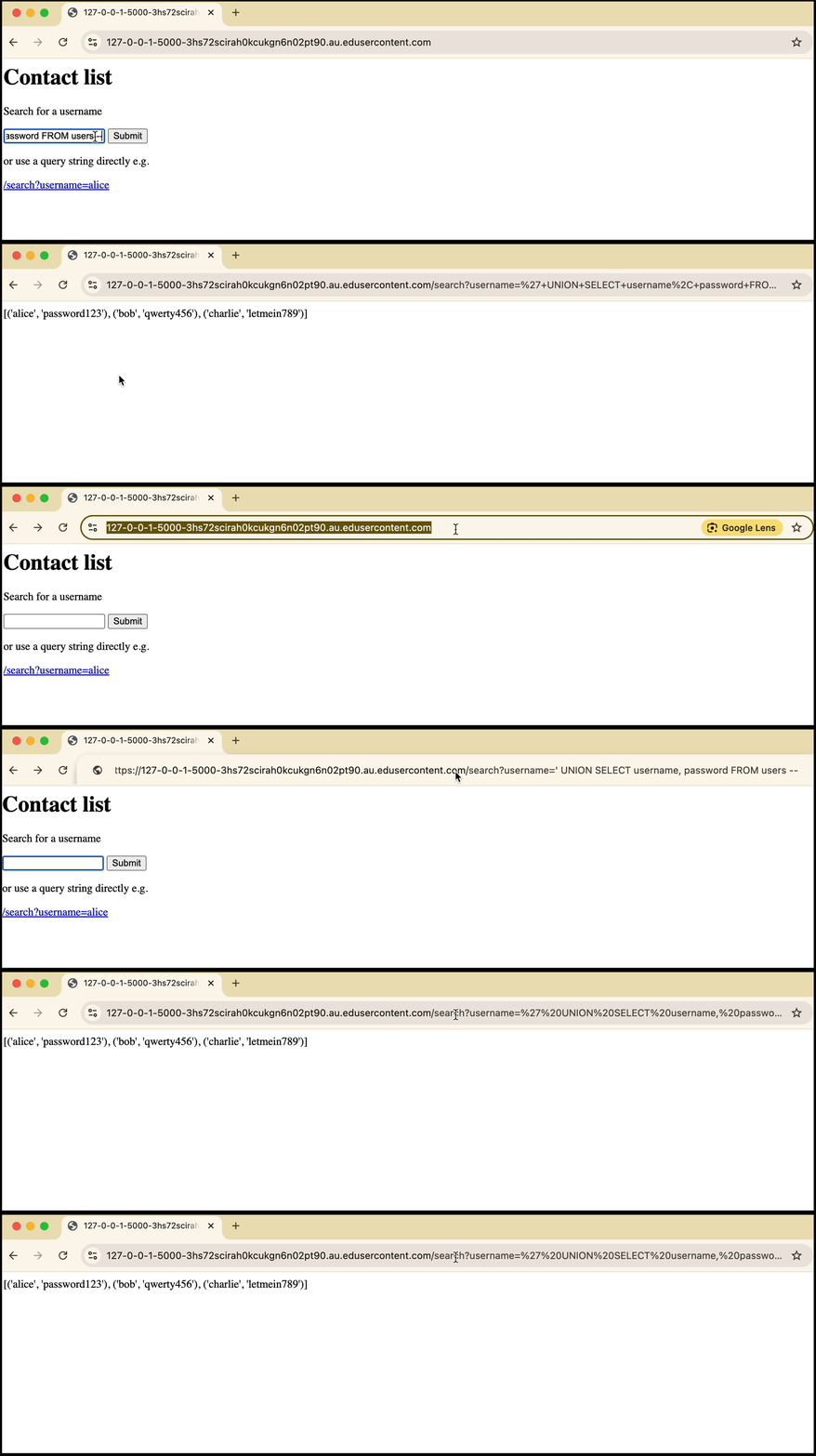
Instead of entering the username into the field, you can UNION with the users table to get each user’s private password.
' UNION SELECT username, password FROM users --
or is entering the query string manually
/search?username=' UNION SELECT username, password FROM users --
Download the scaffold and write your code in app.py.
SCAFFOLD_fix_the_sql_injection.zip
Solution
Solution is locked